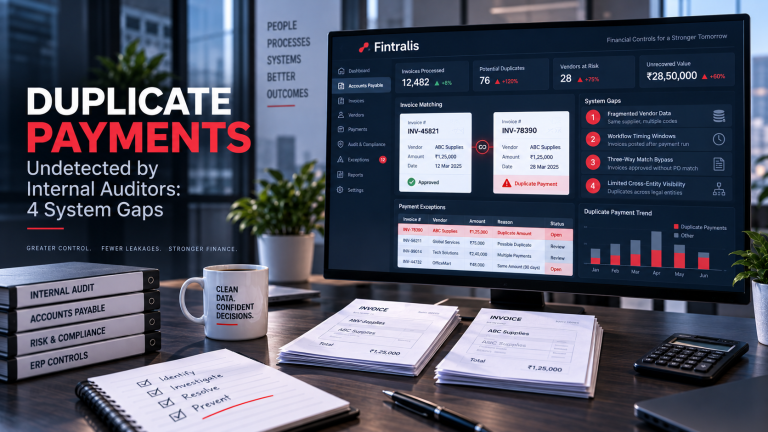
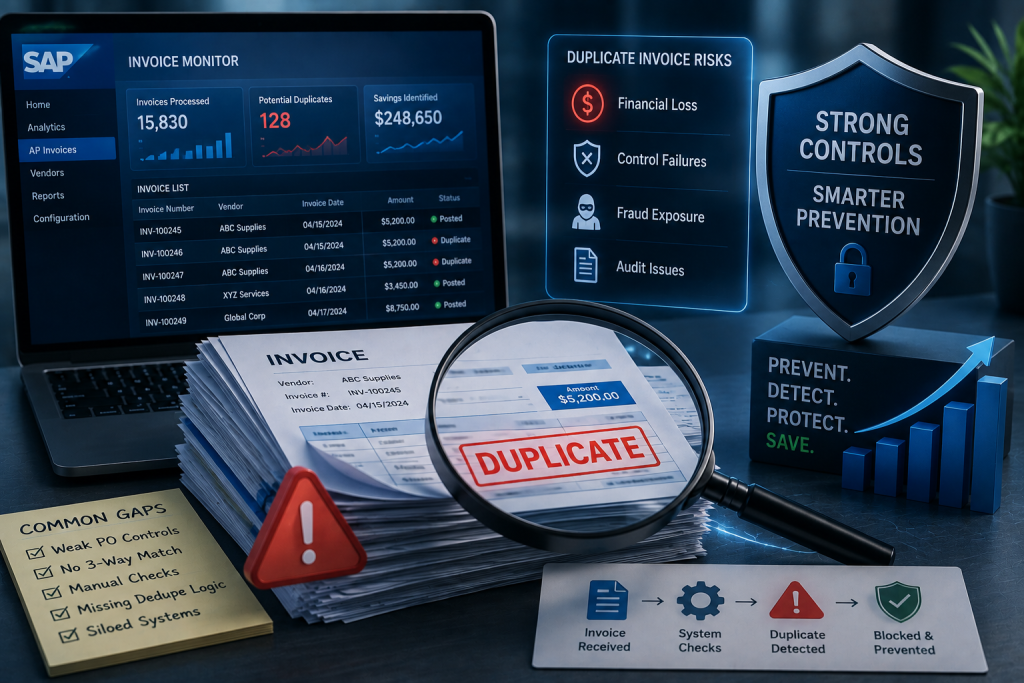
Three-way match, workflow approval, and vendor master duplicate checks are the foundation of SAP invoice control. Yet duplicate payments still occur in material volume, even in instances with mature configurations and experienced AP teams.
The gap is not a failure of the software. It is a mismatch between what standard controls were designed to prevent and the actual patterns that produce duplicate payments in a live environment.
What Three-Way Match Does and Does Not Block
Three-way match in SAP compares the invoice to the purchase order and goods receipt. If the invoice quantity and price align with what was ordered and received, the system releases the invoice for payment. If the same PO line is referenced twice, the second invoice will be blocked.
This works when the duplicate references the same PO line. It does not work when the vendor resubmits the invoice under a different invoice number or date, which is the most common duplicate pattern. The system sees two distinct invoice documents, both of which match the PO, and both are released.
Three-way match also does not apply to non-PO invoices. Service invoices, utility bills, rent, professional fees, and other recurring charges bypass the PO entirely and rely on manual verification. If the same invoice is entered twice, or if the vendor submits a duplicate while the original is still in workflow, there is no automatic block.
Vendor Master Duplicate Checks Are Narrow
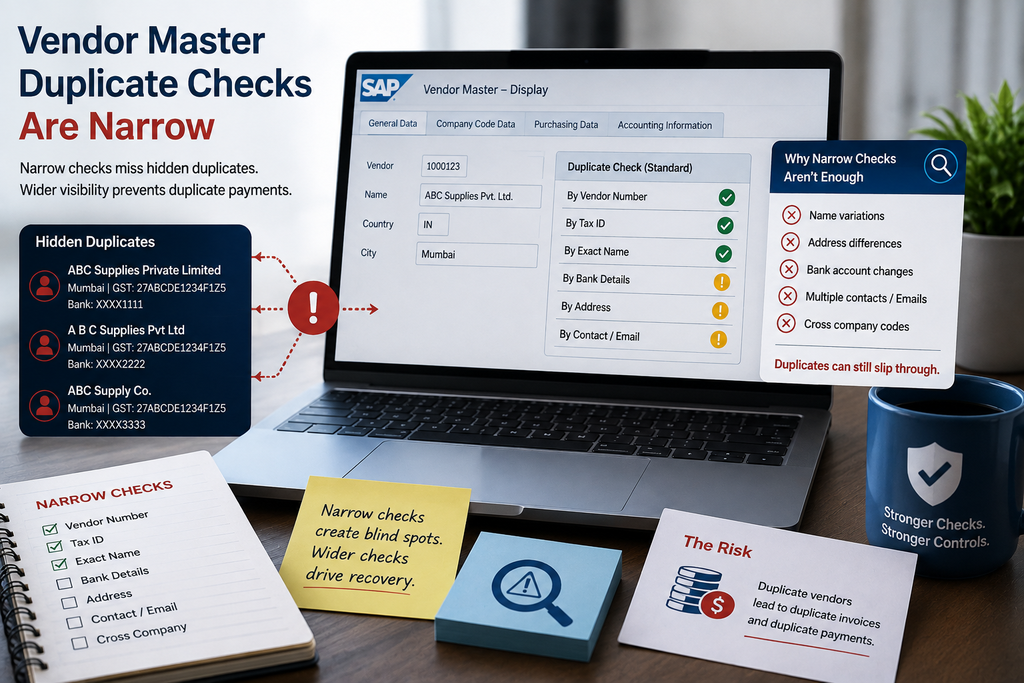
SAP can be configured to check for duplicate invoice numbers within a vendor master record. This prevents posting two invoices with the same invoice number from the same vendor in the same company code.
It does not prevent duplicates where the invoice number is slightly different—an extra digit, a suffix, or a transposed character. It does not flag invoices that are posted to different company codes, even if the underlying expense is identical. And it does not catch vendor re-submissions that occur after the original invoice has already been cleared and archived.
Some vendors issue sequential invoice numbers with minor variations, or append a “-1” or “-REVISED” suffix when they believe the original was lost. If the original has already posted, the revised invoice will post as well.
Workflow Approval Relies on Isolated Context
Workflow approval routes invoices to cost-centre managers or budget owners for release. The approver sees the invoice, checks it against their expectation, and either approves or rejects.
Approvers do not have visibility into payment history, prior invoices posted to other cost centres, or duplicate invoices that were submitted to shared-service centres in other regions. If the invoice looks reasonable and matches a legitimate service or purchase order, most approvers will release it.
This is especially true for small-value invoices, which receive less scrutiny and are often approved in batch. A duplicate invoice for a few hundred dollars is unlikely to trigger memory of a prior payment made three weeks earlier.
Credit Memo Timing Creates Net Duplicate Exposure
A vendor submits an incorrect invoice, which your AP team pays. The vendor then issues a credit memo and a replacement invoice. If the credit memo is posted after the replacement invoice has already been paid, you have paid the replacement in full and the original invoice minus the credit. The net result is a duplicate payment of the underlying amount.
This pattern is common in service invoicing, where errors are corrected via credit-and-rebill rather than by voiding the original invoice. If your AP team processes the replacement invoice before the credit memo is posted, the duplicate slips through.
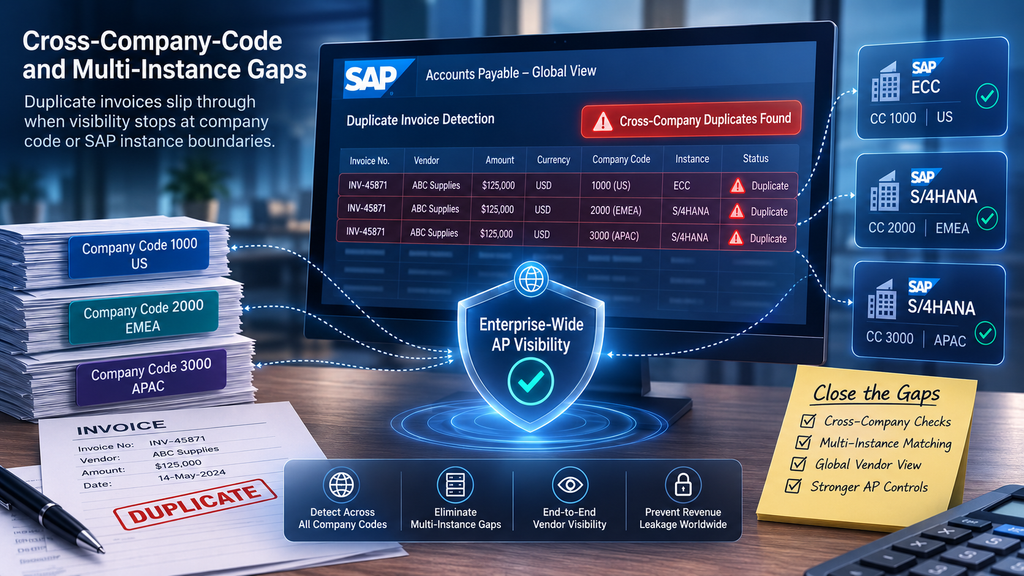
Cross-Company-Code and Multi-Instance Gaps
Large organisations operate multiple SAP company codes, and in some cases multiple SAP instances. Standard duplicate checks do not cross company-code boundaries unless custom validation has been built.
If a vendor submits the same invoice to two legal entities, or if shared-service centres post invoices independently, the system will not flag the duplicate. This is a particular risk for shared services—insurance, software licenses, facility management—that are billed centrally but charged to multiple entities.
Payment Run Timing and Pending Invoice Overlap
If a vendor submits a duplicate invoice while the original is in workflow or pending posting, both invoices may clear in separate payment runs before either is flagged. By the time the duplicate is identified, both payments have already left the bank account.
This is more common in high-volume AP environments where invoices are processed in batch and payment runs occur daily or weekly. The window between invoice receipt and payment is short, and duplicates that arrive in that window often pass through undetected.
What Catches the Remaining Duplicates
Systematic duplicate recovery requires comparison across invoice numbers, dates, amounts, vendors, and posting periods, independent of PO references and company-code boundaries. This is not a configuration problem; it is an analysis problem that sits outside the posting workflow.
Fintralis performs this analysis retrospectively across SAP payment history, identifying duplicates that cleared standard controls and extracting recovery where vendor credit can be obtained. If your AP spend exceeds $50 million annually, the volume of undetected duplicates is material, and recovery runs on full contingency with no upfront cost.
Frequently asked questions
Why does SAP miss duplicate invoices if three-way match is configured?
Three-way match only blocks invoices that reference the same purchase order line twice. It does not catch vendor re-submissions under different invoice numbers, service invoices that bypass the PO, or duplicates where one copy posts to a different company code or cost centre.
What is the most common duplicate invoice pattern in SAP?
Vendor re-submission with a slightly different invoice number or date after the original was already paid. The original may have cleared via bank transfer while the paper copy was still in transit, prompting the vendor to issue what they believe is a follow-up.
Can SAP workflow approval stop duplicate invoices?
Workflow approval relies on human review, and approvers rarely have visibility across prior payment runs or invoices posted to other cost centres. If the invoice looks valid in isolation and has a legitimate PO, most approvers will release it.
How do credit memo timing issues create duplicate payments?
A vendor issues a credit memo for an incorrect invoice, but your AP team posts the credit after the replacement invoice has already been paid. The net effect is that you pay the replacement in full and the original invoice minus the credit, resulting in double payment of the underlying amount.
Do duplicate invoice checks work across multiple SAP company codes?
Standard duplicate checks in SAP operate within a single company code. If your vendor submits the same invoice to two legal entities, or if shared-service centres post invoices independently, the system will not flag the overlap unless you have built custom cross-company-code validation.
What invoice types in SAP have the highest duplicate risk?
Non-PO invoices for recurring services, utilities, rent, and professional fees carry the highest risk because they bypass purchase-order matching and rely entirely on manual entry and approval. Small-value invoices also receive less scrutiny and are more likely to be paid twice.