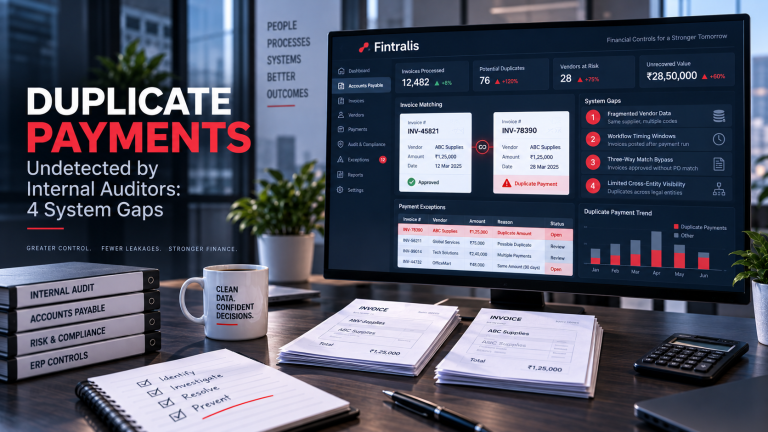

AP automation platforms solve a real problem. They move invoices through approval workflows faster, reduce manual keying, and enforce three-way matching. For finance teams drowning in paper and email, that efficiency gain is material.
But automation optimizes the approval process. It doesn’t recover money already spent incorrectly.
What Automation Actually Does
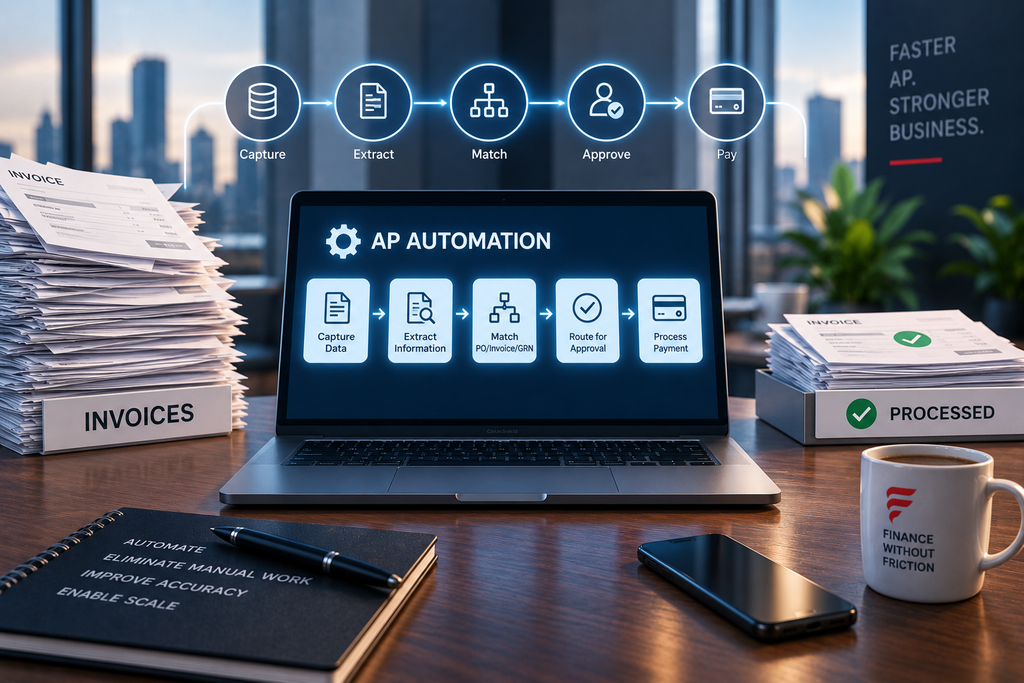
Most AP automation tools extract invoice data, route it for approval, match it against purchase orders and receiving records, and flag exceptions before payment. The system checks: Does this invoice match a PO? Has the goods receipt been recorded? Is the amount within tolerance?
Those checks catch many errors. Invoices without POs get stopped. Invoices for goods not yet received get held. Amounts that don’t match get flagged for review.
The automation works within the invoice approval window—after the invoice arrives, before payment goes out. Once the invoice is approved and paid, the workflow closes. The system moves to the next invoice.
Where Recovery Work Starts
Recovery happens in a different time window. It examines payments that already left your account—sometimes months or years ago. The questions are different:
- Did we pay the same invoice twice under different invoice numbers?
- Did we pay a price higher than our negotiated contract rate?
- Did we pay for a tier discount we never received?
- Did we miss applying a credit memo that the supplier issued?
- Did two divisions pay the same vendor invoice separately?
Automation platforms don’t typically run these analyses. They process the current invoice in front of them. They don’t cross-reference historical payments across vendors, entities, contracts, and item codes looking for patterns that suggest overpayment.
The Structural Reason for the Gap
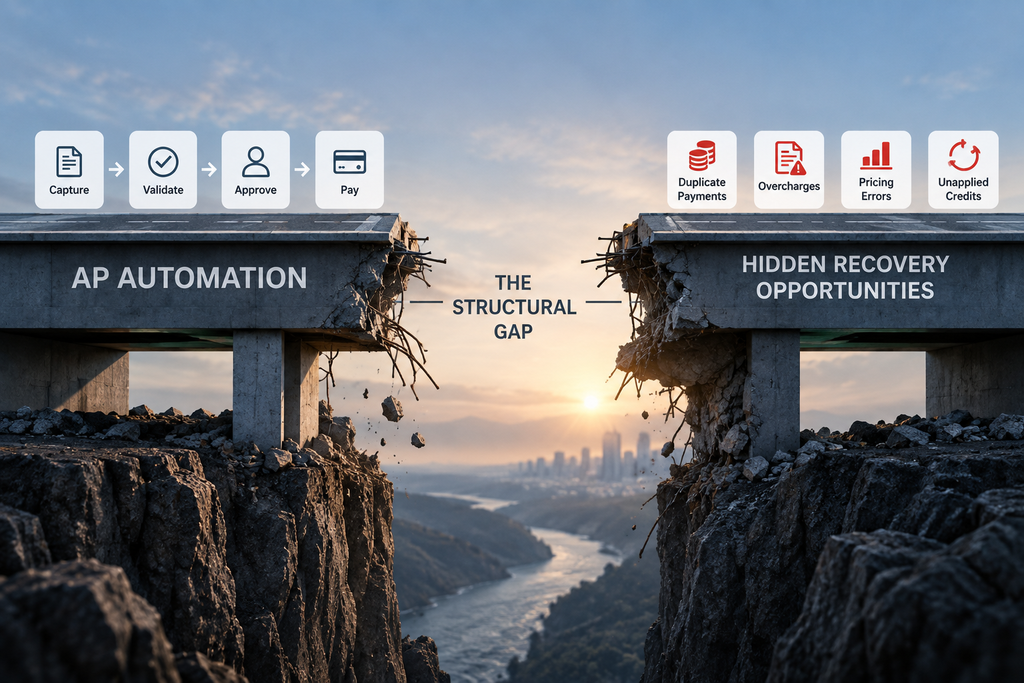
AP automation is designed for throughput. Get invoices approved correctly and paid on time. The architecture supports high-volume, real-time decisions on individual invoices.
Recovery work requires retrospective analysis across large data sets. You’re looking at all payments to a vendor over two years, comparing them to contract pricing schedules, and identifying outliers. You’re matching payment amounts across subsidiaries to find duplicates. You’re reconciling credits issued by suppliers against payments made.
That’s a forensic exercise, not a workflow decision. It requires different data structures, different algorithms, and different expertise. Most automation vendors don’t build recovery analytics because it’s outside the workflow optimization problem they’re solving.
Common Gaps in Practice
Duplicate Payments
Automation catches exact duplicates—same invoice number, same amount, same vendor. It doesn’t catch the invoice that gets resubmitted with a new invoice number after a dispute. Or the invoice paid once by corporate and once by a regional office. Or the invoice paid in two different currencies.
Pricing Errors
If your contract says you pay $10 per unit and the vendor invoices $10.50, automation checks whether the invoice matches the PO. If the PO was created at $10.50, the invoice sails through. The system isn’t comparing PO prices back to master contract terms.
Unapplied Credits
A supplier issues a credit memo for returned goods. That credit sits in your ERP as an open item. Meanwhile, new invoices from the same supplier get paid in full. Automation processes each invoice independently. It doesn’t net invoices against available credits unless your AP team manually applies them first.
Volume and Rebate Shortfalls
Your contract includes a tiered discount: buy 10,000 units in a quarter, get an additional 2% off. You buy 12,000 units. The discount doesn’t apply automatically to each invoice. Someone has to calculate the rebate at quarter-end and request it from the supplier. If that doesn’t happen, you overpaid. Automation never touches this process.
What Finance Teams Actually Do
Most large companies run periodic recovery audits, either internally or with outside specialists. These projects pull paid invoice data from the ERP, analyze it against contracts and historical patterns, and identify recovery opportunities. The work happens outside the automation platform, using different tools and methods.
Some companies catch a portion of these errors through routine reconciliations—monthly reviews of vendor statements, contract compliance checks, or internal audit spot-checks. But high-volume AP environments generate more exceptions than most teams have time to chase manually.
The Practical Implication
AP automation and recovery work aren’t competing solutions. Automation improves the front end: invoices get processed faster and with fewer approval errors. Recovery addresses the back end: money already spent gets examined for errors that weren’t caught in real time.
If your company has invested in automation, you’ve likely improved processing speed and reduced some categories of error. You haven’t eliminated the need to review what you’ve already paid. The paid invoice population still contains duplicates, pricing mismatches, and unapplied credits that no workflow tool will surface.
Finance leaders running SAP, Oracle, or JD Edwards with significant AP volumes typically benefit from both: automation to handle current invoices efficiently, and periodic recovery analysis to identify money that can be reclaimed from past payments. The two activities operate in different time frames and address different problems. Automation doesn’t make recovery obsolete—it just handles a different part of the payment lifecycle.
Frequently asked questions
What common errors does AP automation software typically miss?
Most AP automation platforms miss duplicate payments, incorrect pricing against contract terms, unapplied credits, and billing errors that occur after invoice approval. These systems focus on workflow efficiency and matching invoices to purchase orders, not on forensic analysis of what has already been paid. Recovery requires different logic and historical data analysis that approval workflows aren’t designed to perform.
Why doesn’t AP automation catch duplicate payments automatically?
Automation catches exact duplicates during workflow but misses variants with different invoice numbers, dates, or slight amount differences. Suppliers often resubmit corrected invoices without canceling the original, or multiple divisions pay the same vendor invoice separately. Detection requires cross-referencing paid invoices across time periods, entities, and ERP modules that standard automation rules don’t examine after payment.
Can finance teams rely on AP automation for full payment accuracy?
AP automation improves approval accuracy but doesn’t verify pricing terms, freight calculations, or contractual adjustments post-payment. The system validates that an invoice matches a purchase order, not that the purchase order itself was priced correctly or that subsequent credits were applied. Finance teams still need separate processes to audit paid invoices against master agreements and identify recovery opportunities.
What percentage of AP errors occur after automation approval?
The recovery opportunity isn’t about automation failure—it’s about categories automation doesn’t address. Pricing mismatches, volume rebate shortfalls, and duplicate payments across subsidiaries exist regardless of workflow technology. These issues require contract-level analysis and historical payment pattern review that occurs outside the automation platform’s scope. Recovery work begins where automation ends.
How do large companies handle AP recovery when they have automation in place?
Most rely on periodic internal audits or hire contingency recovery specialists who analyze ERP transaction history separately from the automation platform. These efforts examine paid invoices across multiple dimensions—vendor, item, contract, entity—that approval workflows treat independently. The work is forensic rather than preventative, identifying money already lost rather than stopping errors before payment.
Should CFOs disable AP automation if it misses recovery opportunities?
No. Automation delivers workflow efficiency and control that finance teams need. The gap is additive, not competitive. Automation handles approval; recovery handles retrospective analysis of what was paid. Companies benefit from both: automation prevents many errors prospectively, while recovery work identifies and corrects the errors that inevitably occur in complex, high-volume environments with multiple vendors, contracts, and entities.