
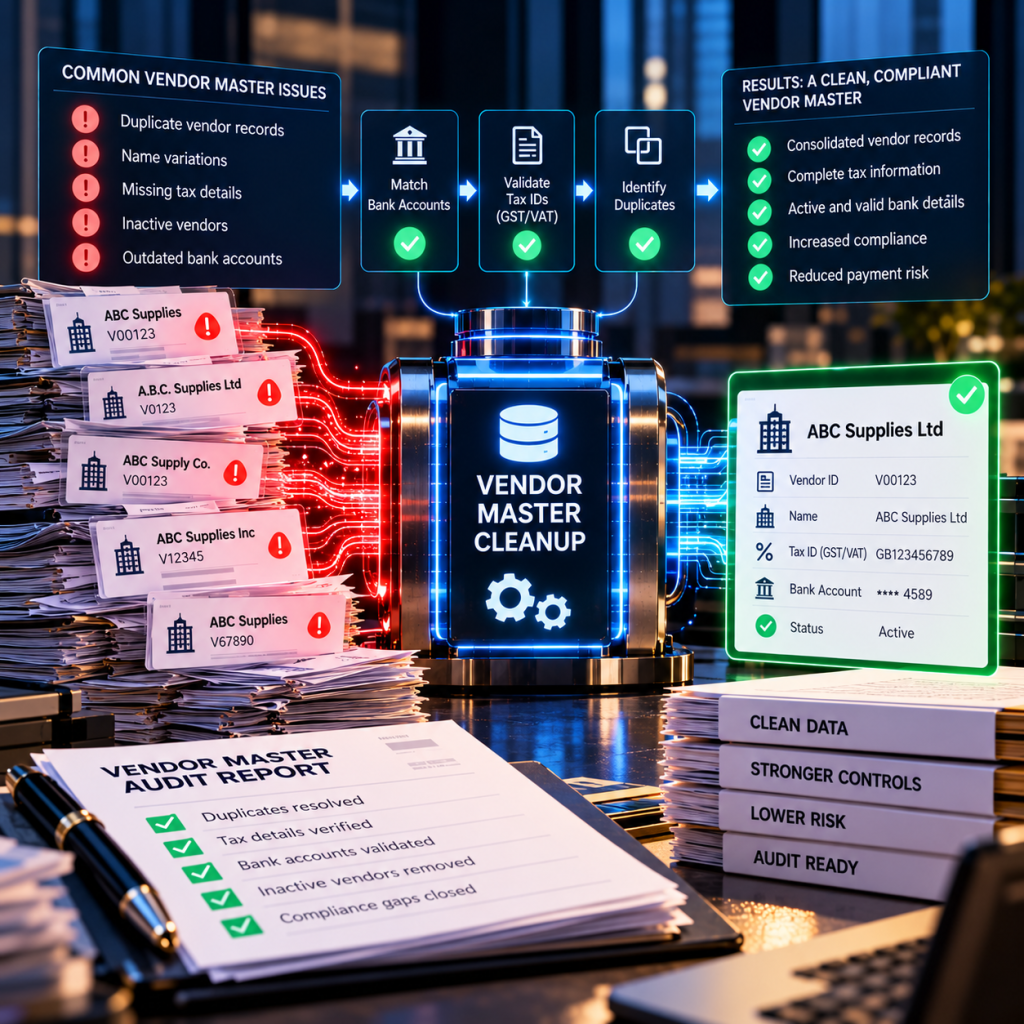
You inherit the vendor master file in the condition the previous team left it. Duplicate entries, missing tax documents, suppliers who haven’t been paid in five years still flagged active, and no standard naming convention. The mess isn’t your fault, but the SOX findings and duplicate payments that result from it become your problem the moment you take the role.
Why vendor master files degrade over time
AP clerks create new vendor records under pressure. An invoice arrives, the vendor name doesn’t match anything in the system, and rather than spend fifteen minutes investigating whether the supplier already exists under a slightly different name, they set up a new ID. A month later, someone else does the same thing with the same vendor.
The result: one supplier appears as “ABC Supplies,” “ABC Supplies Inc,” “ABC Supply Co,” and “A.B.C. Supplies” across four distinct vendor IDs. Each has its own payment history. None are flagged as related. Your ERP can’t connect them because to the system, they’re four separate companies.
Mergers compound the problem. When you acquire another business, you absorb their vendor file along with their naming inconsistencies and duplicate records. If both companies used the same supplier, you now have two unconnected records for a vendor who expects consolidated volume discounts.
Compliance gaps that auditors notice
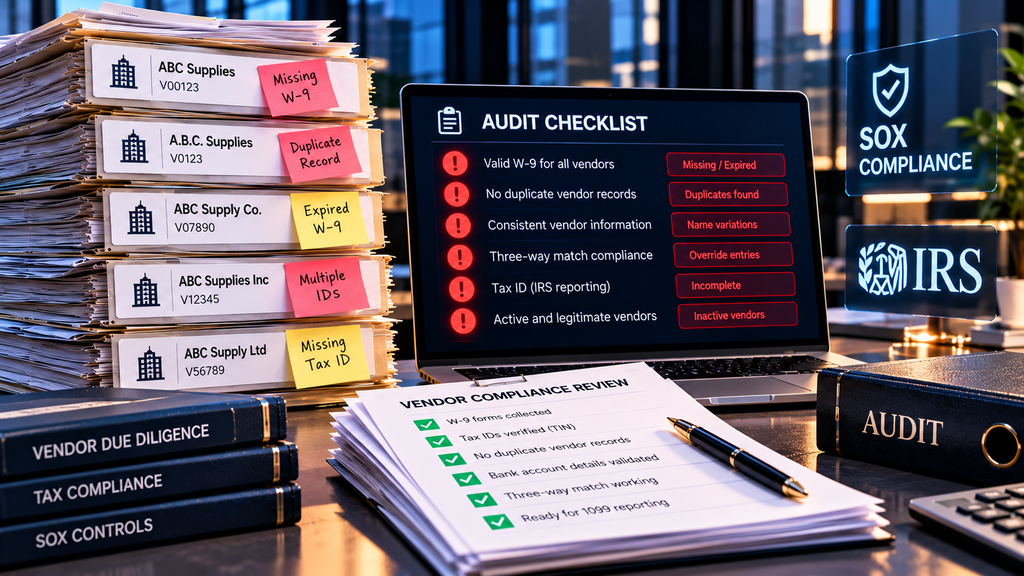
Missing or expired W-9 forms top the list. You can’t issue a 1099 without a valid tax ID, and paying a vendor without collecting one puts you out of compliance with IRS reporting requirements. Auditors check for this during SOX walkthroughs.
Duplicate vendor records break your three-way match process. When the same supplier exists under multiple IDs, the purchase order, receiving document, and invoice may reference different vendor numbers. Your matching logic fails, invoices route to exception queues, and AP staff override controls to close the period. Overrides show up in audit samples as control deficiencies.
Inactive vendors still flagged as active create risk. If a vendor ID hasn’t been paid in three years but remains open, it becomes a target for invoice fraud. An attacker who gains access to your email or vendor portal can submit a fake invoice under a dormant account. Because the vendor is active in the system, the invoice flows through approvals and may get paid before anyone questions it.
How to clean the vendor master without adding headcount
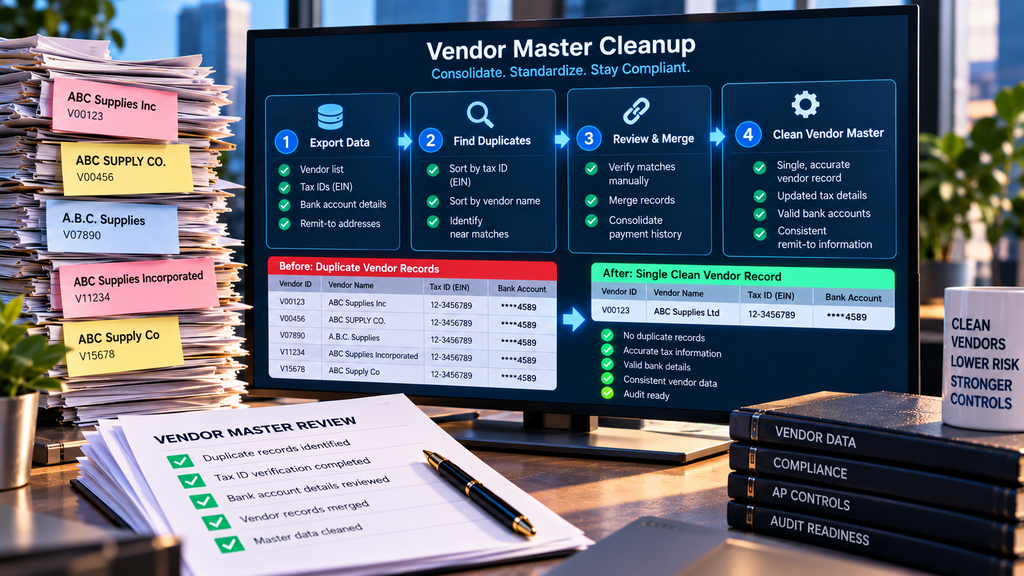
Start with the duplicates. Export your full vendor list along with tax IDs, bank account details, and remit-to addresses. Sort by tax ID. Any vendors sharing an EIN are almost certainly the same entity. Review them manually and merge payment histories under a single master record.
Next, sort by vendor name and scan for near matches—variations in punctuation, abbreviations like “Inc” versus “Incorporated,” or trailing spaces. This step catches duplicates where the same company was entered inconsistently but never obtained a tax ID from all instances.
Bank account details provide a third filter. If two vendor records use the same ACH routing and account number, they’re either duplicates or related entities. Investigate and consolidate.
Flag inactive vendors. Run a report showing last payment date. Any vendor not paid in the last eighteen months should be marked inactive. This doesn’t delete the record—it preserves historical data for audit purposes—but it prevents the ID from being used for new invoices.
Recovering payments already lost to duplicates
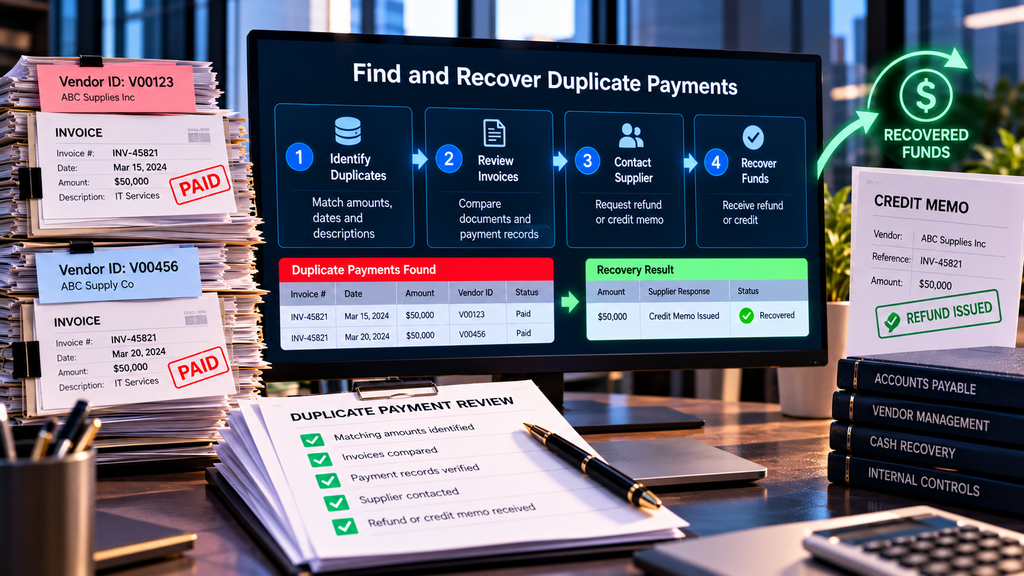
Once you’ve identified duplicate vendor records, cross-reference their payment histories. Look for invoices with matching amounts, dates, and descriptions paid within a few weeks of each other under different vendor IDs. These are your probable duplicate payments.
Pull copies of both invoices and both payment records. In many cases, the invoices are identical PDFs submitted twice, or the same invoice number paid under two vendor accounts. Contact the supplier with the documentation and request a refund or credit memo. Most vendors cooperate—they know the duplicate wasn’t intentional, and they’d rather issue a refund than risk a more adversarial collections process.
For older duplicates beyond your standard recovery window, the same process applies. Suppliers may resist, especially if the duplicate payment occurred two or three years ago, but clear documentation usually secures at least partial recovery.
Preventing future degradation
Enforce a standard naming convention for new vendor setups. Require AP staff to search existing vendors by tax ID before creating a new record. If the EIN already exists, they must use the existing vendor or escalate to a supervisor.
Require W-9 collection before the first payment. Make it a hard rule: no tax document, no vendor ID. This eliminates the compliance gap before it opens.
Quarterly, run the duplicate checks described above on vendors added in the prior three months. Catching duplicates early limits the damage.
If your current vendor master spans tens of thousands of records and the cleanup feels insurmountable, recovery services that work on contingency can identify duplicates and pursue refunds without upfront cost. You clean the file and recover cash in one project.
Frequently asked questions
What problems does a messy vendor master file cause for AP departments?
A disorganized vendor master causes duplicate payments when the same supplier appears under multiple IDs, complicates audit trails, increases the risk of paying fraudulent invoices, and creates SOX compliance gaps when W-9s or payment records are missing. It also slows down exception handling and three-way matching.
How do duplicate vendor records lead to duplicate payments?
When a single supplier exists under multiple vendor IDs—often with slight name variations or different remit-to addresses—AP clerks process invoices without realizing the same bill has already been paid under a different vendor number. ERP systems can’t catch this because they see two distinct vendors.
What is the fastest way to identify duplicate vendor records in SAP or Oracle?
Run a report that groups vendors by tax ID, then by similar company names and bank account details. Look for multiple vendor IDs sharing the same EIN or ACH details, and review vendors with nearly identical names or addresses. Most duplicates surface through these three filters.
Should I delete inactive vendors from the master file?
Mark them inactive rather than delete them. Deleting vendor records breaks historical audit trails and makes it impossible to reconcile old invoices or recover past duplicate payments. Inactive status prevents new transactions while preserving history. Retention policies usually require seven years minimum.
How often should a vendor master file be cleaned up?
At minimum, annually before your external audit. Many finance teams perform lighter quarterly reviews focused on new vendors added in the prior period. If you’re onboarding more than twenty new suppliers per month, consider monthly duplicate checks on recent additions.
Can a vendor master cleanup recover money already lost to duplicate payments?
Yes. Once you identify duplicate vendor records, you can cross-reference payment history to find invoices paid twice—once under each vendor ID. Most suppliers will issue refunds or credits when presented with proof of duplicate payment, especially within a two-to-three-year window.